Effortless. Simple. Reading.

AetherRead makes reading on your phone feel natural again with smart pacing, effortless bookmarking, and a clean design so that you can focus on the simple act of reading. Bring your own EPUB library and read comfortably, without constant tapping, fiddling, gestures, subscriptions, or distractions.

Available now on iOS, coming soon to Android

iOS Android

Effortless word-level bookmarking

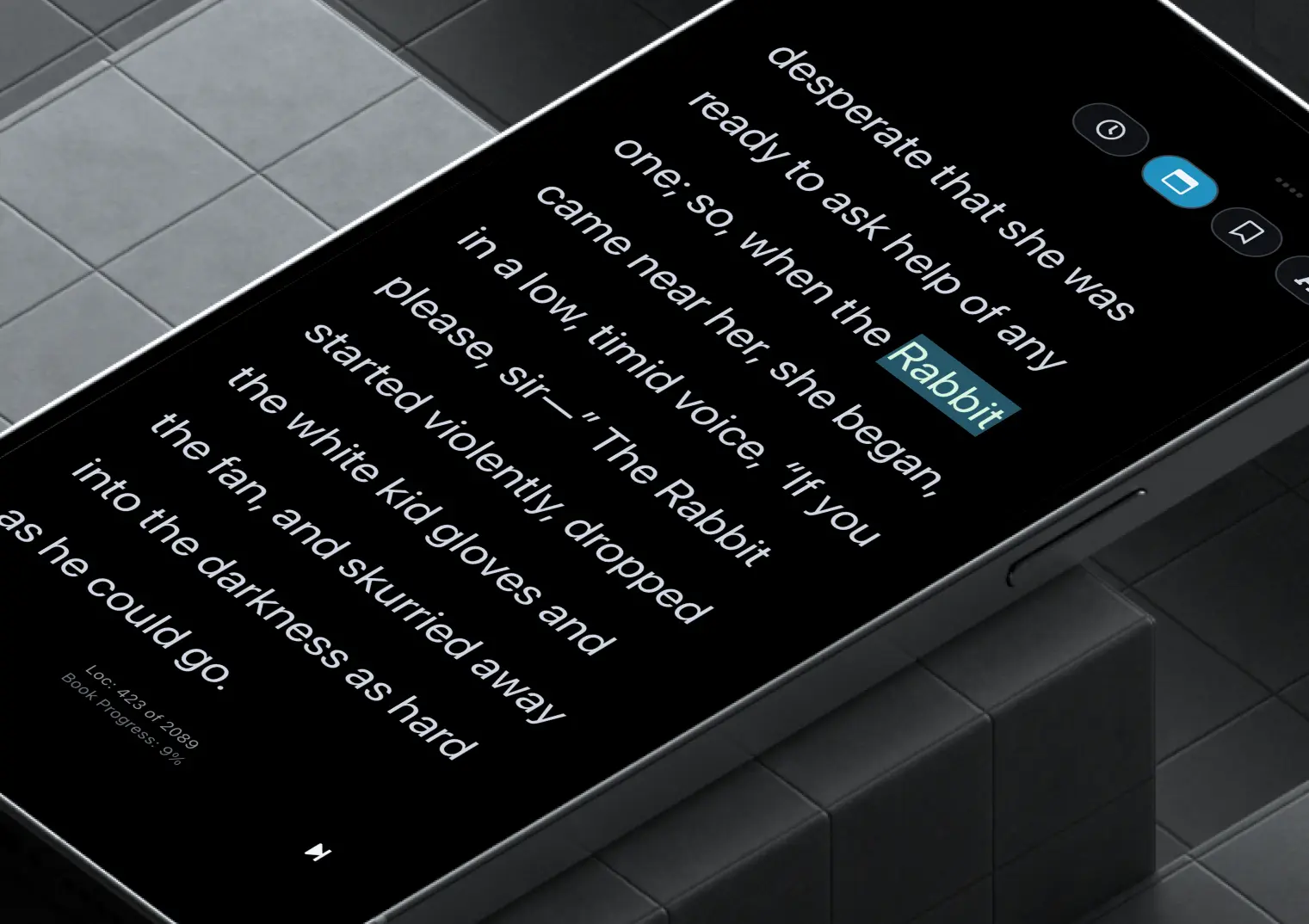
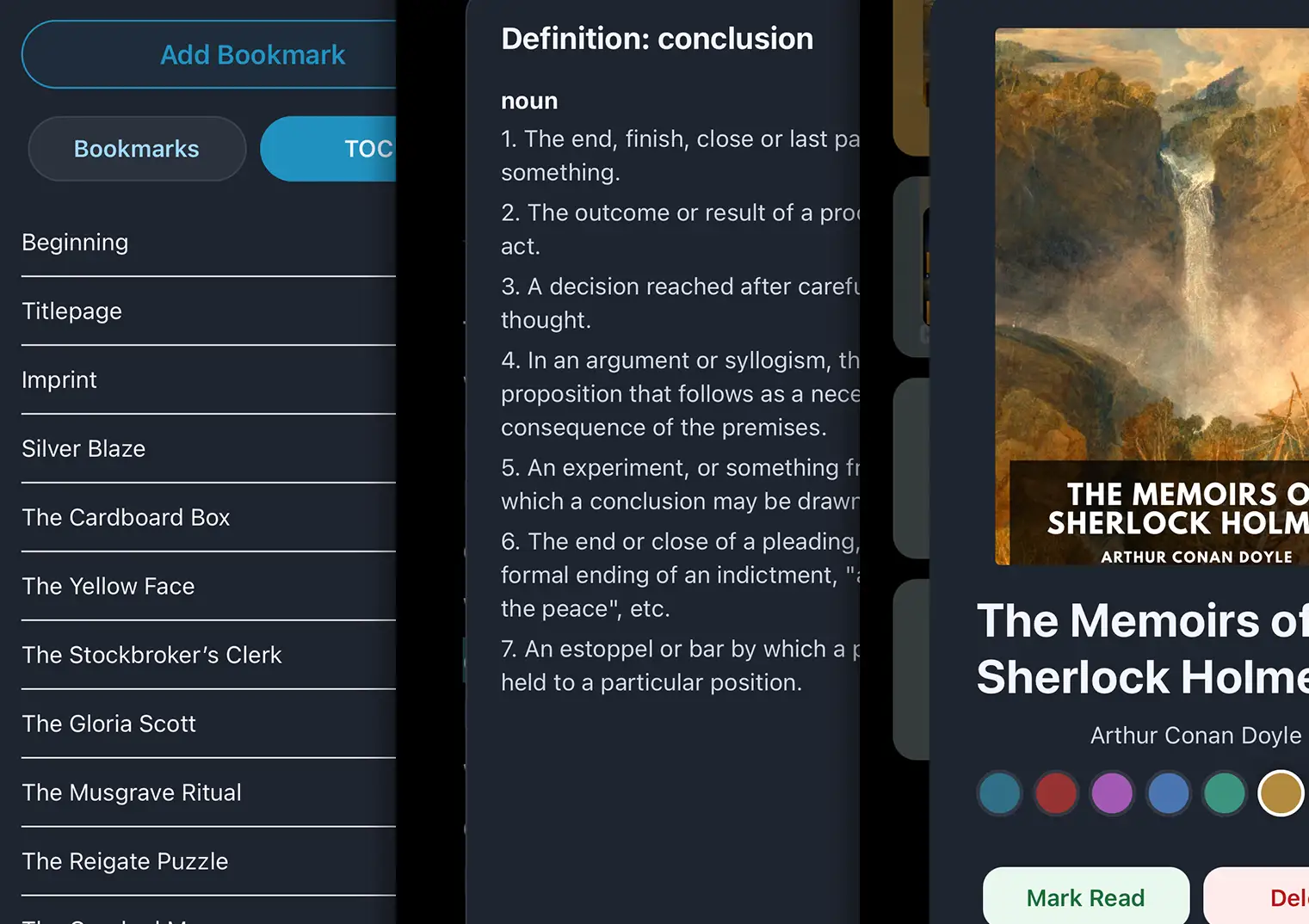
Tap any word and AetherRead remembers your exact place. No menus, no tiny hit-areas, no fuss. When you return, the book scrolls directly to the precise chapter and word you were on.

AetherMode speed reading

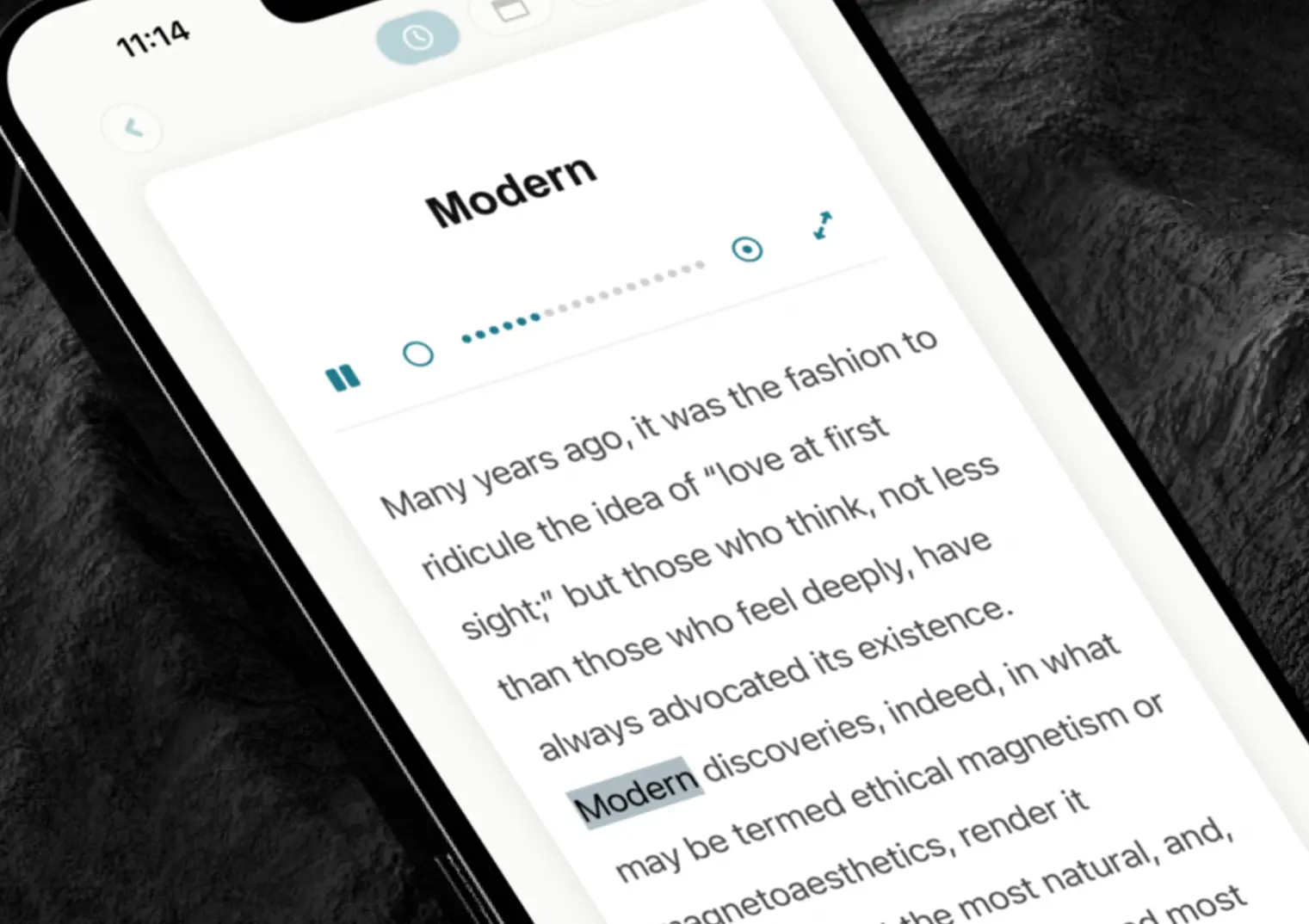
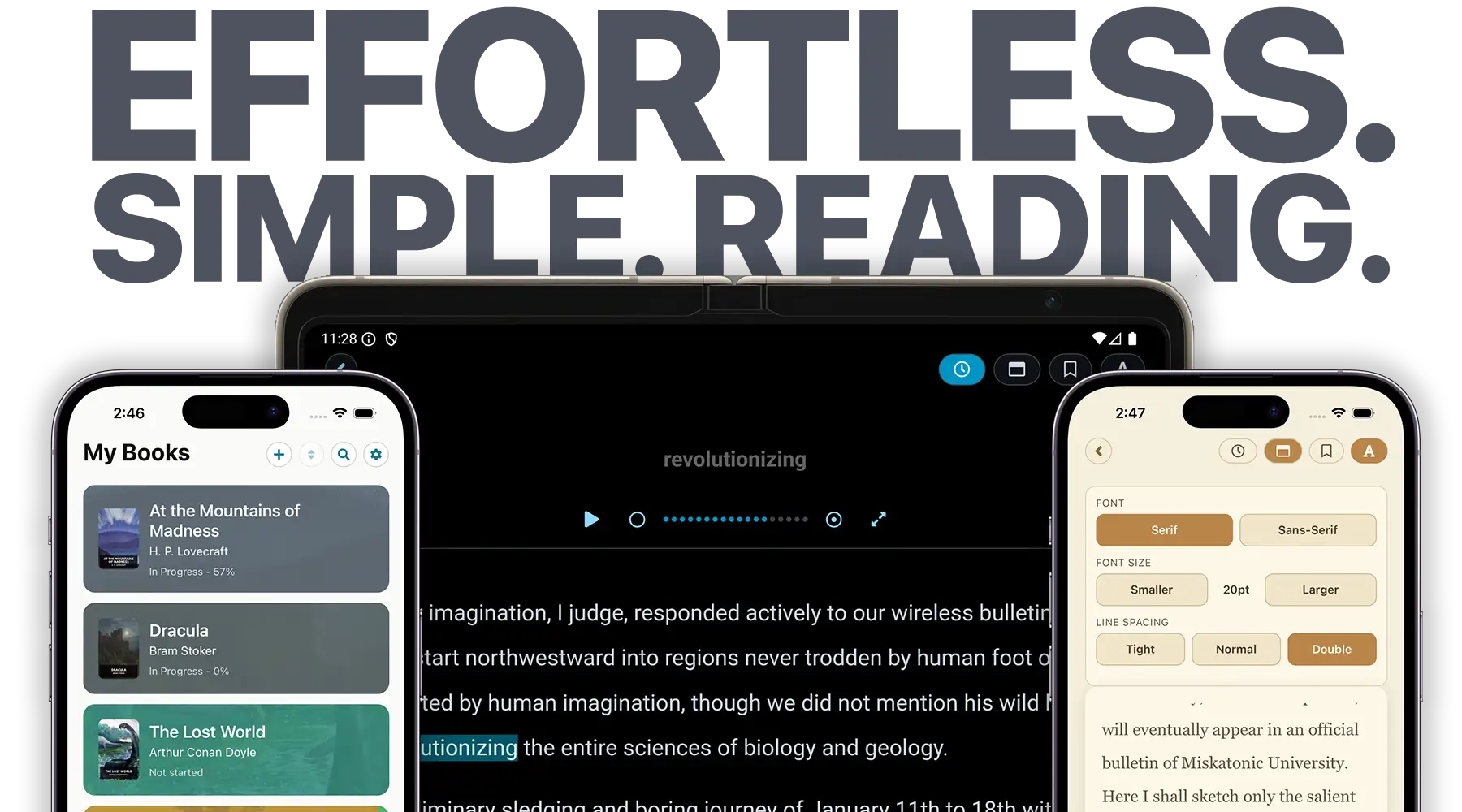
AetherMode adapts to punctuation, sentence structure, and long words to create a smoother, more natural reading rhythm. A simple tap will pause or play while the full content scrolls to keep pace. Multiple options for speed control let you fine tune your experience. From leisurely to not-even-a-robot-can-keep-up, the choice is yours.

Clean, consistent content

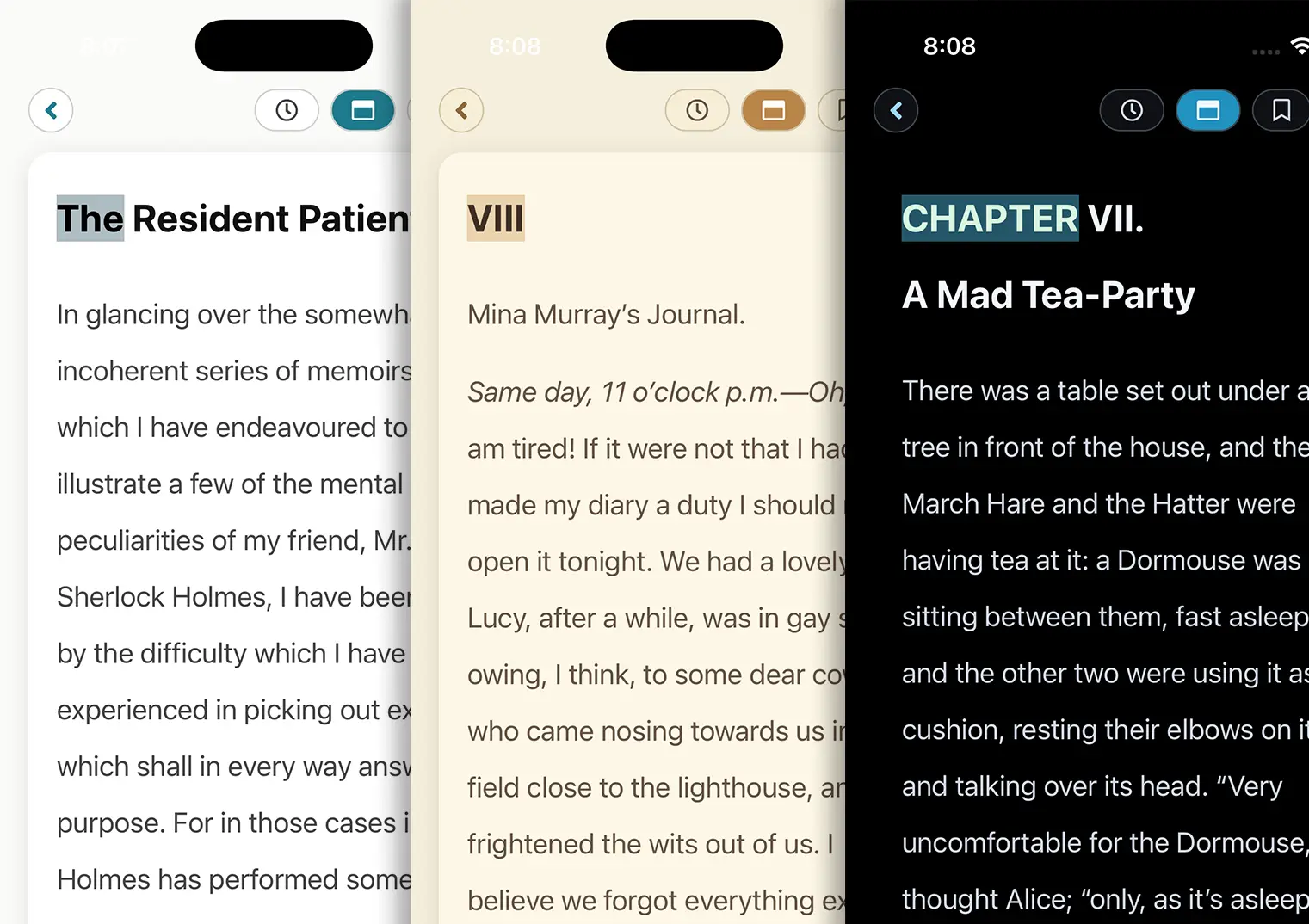
While EPUB files are a standard for ebooks, once you start to look inside them you will discover a wild-west of strange formatting and general mess. When you import an EPUB into AetherRead, the app carefully examines the contents and creates an optimized version of the entire book, removing all the junk. The result? Every book will look the same so you don’t need to continually change your font settings.

Control your own library.

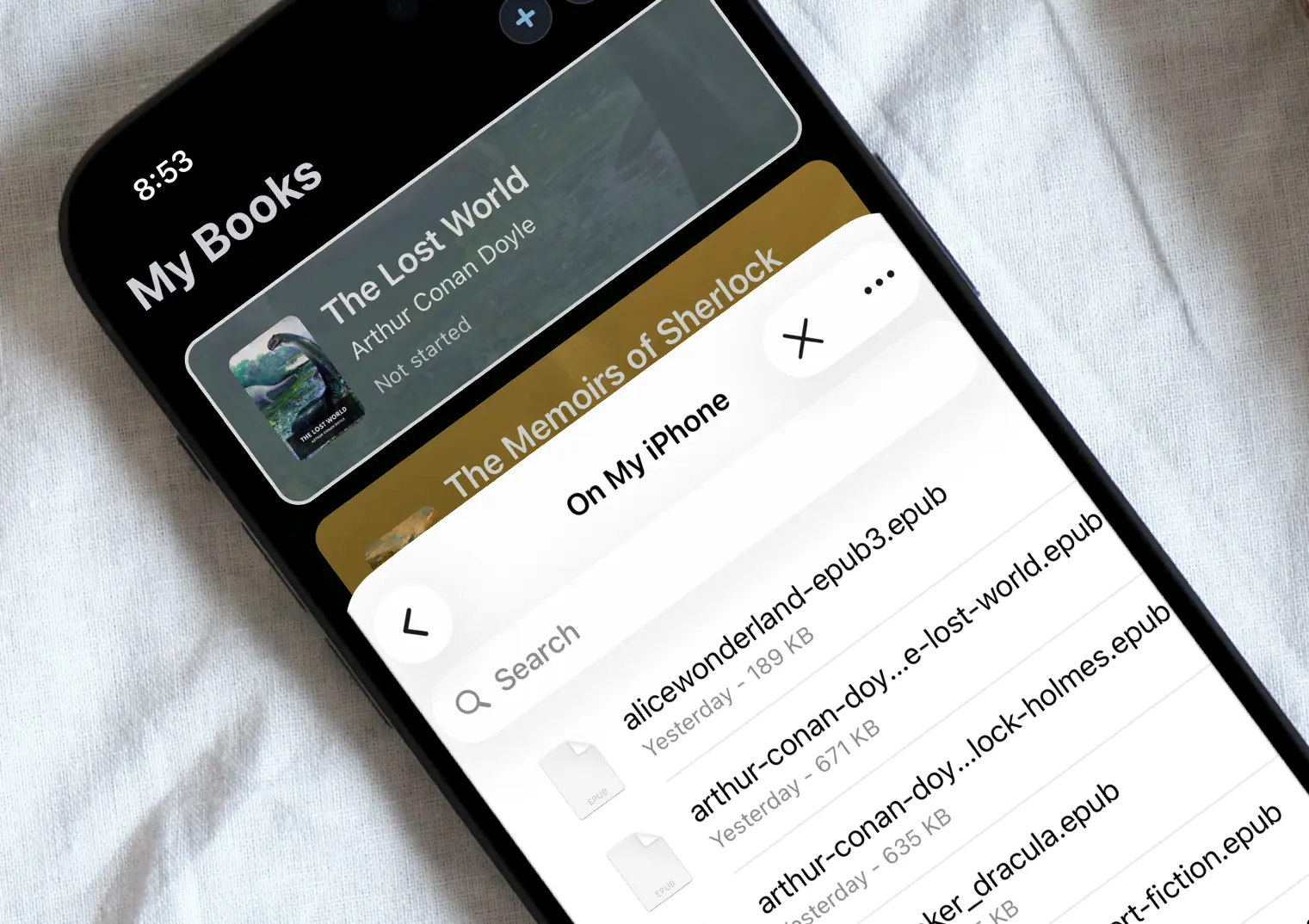
Import your own EPUB files and build a personal library that’s fully yours. No accounts, no corporate overlords, no cloud lock-in, no external services, no recurring fees, no in-app purchases, no features locked behind add-ons. Purchase AetherRead, get your EPUB files, and your content is yours to read anywhere, forever.

Reading, without the clutter

AetherRead is designed around the features that matter most, giving you instant access to bookmarks, the table of contents and word definitions without breaking your focus. Controls are simple and intuitive, so common actions are always exactly where you expect them to be. With a clean interface optimized for small screens, AetherRead stays out of the way and lets the reading come first.

Available now on iOS, coming soon to Android

iOS Android

Frequently asked questions

AetherRead is designed to be intuitive and simple, but here is every detail of the app interface:

  • The main screen is your bookshelf. Each book is a tile. Press and hold on a tile to get a popup that lets you change the tile color, mark a book as read, or delete it.
  • You can swipe left on a book tile to show a delete button.
  • At the top of the bookshelf are four buttons: Import , Reorder , Search , Settings .
    • Import will open your native device file selector. Use this to find and select an EPUB file.
    • Tap Reorder to display drag handles on each book tile. Drag to reposition books into whatever order you like.
    • The Search icon will open a search field, letting you instantly sort your bookshelf to find a title or author.
    • Settings will let you change the main color theme and adjust global AetherMode speed options.
  • Simply tap a book tile to enter the reader.
  • In all reading modes, to save your "quick bookmark" simply tap any word. That's it. The app will instantly save that position and return to it when you come back to the book again.
  • To get a definition for a word, simply press and hold on it to display a panel with all the definitions.
  • In the reader screen, the view will default to AetherMode . To play or pause, simply tap the word at the top or use the play/pause button. Use the circle controls, and to speed up or slow down playback. Use the double arrow to hide/show the current word display.
  • Tap the standard reader mode button to switch to the simple scroll reading mode.
  • To access your saved bookmark locations and the Table of Contents, tap the icon.
  • Tap the button to adjust font family, font size and line spacing.
  • Finally, use the back arrow to return to the bookshelf.

AetherMode is a refined version of "blink" or "RSVP (Rapid Serial Visual Presentation)" reading, where the app will display one word at a time in a consistent location on screen. This allows you to read with less eye-strain, often at a faster pace, with no page flipping or input required. You can read an entire chapter without touching your phone once!

AetherMode adds intelligence, looking at every word and punctuation combination to greatly enhance the reading experience. In addition, the book content also scrolls along automatically, so you can maintain context or pause with just a tap and reread a particularly good passage.

Combining the three settings detailed below will allow you to fine tune your reading to provide a natural flow:

  • Base Speed: Within the AetherMode reader screen, the top panel displays the current word and a speed control allows you to adjust the timing from approximately 500 milliseconds to 50ms between words. Just tap the circles to speed up or slow down. If desired, you can also hide or show the current word, so if you only want to have autoscrolled page content you can read that way as well.
  • Additional pause for punctuation and long words: Available in the main app settings, you can fine tune an additional pause for punctuation or long words. This allows you to have a baseline reading speed, but include natural pauses. This emulates how you might read a book out loud, naturally pausing for commas, periods, the end of paragraphs, or take an extra moment for a really long word.
  • Long word threshold: Also in app settings, this setting allows you to define what a 'long word' means to you. We generally recommend somewhere around 8-10 characters. This means that AetherMode will add the extra pause whenever it encounters a word longer than the number of characters you set.

The AetherRead app is $5.99 in the iOS and Android app stores (provide links). For less than one Grande Mocha Latte, or a Big Mac (sandwich only!) you can enjoy years of reading your own books and help support an independent developer and fellow book lover.

To import an EPUB, first download or transfer the file onto your phone. You can do this in a variety of ways, such as using AirDrop, emailing the file to yourself, or using your phone browser to download from a website. As long as the EPUB ends up on your phone, AetherRead can use the native file selector on your device.

Simply click the at the top of the AetherRead bookshelf screen to open your device file selector, find and choose your EPUB file, and the book will be imported and optimized in seconds. A new book tile will be added to the top of the list and you can jump right in.

AetherRead also supports the standard OPDS server format, so if you are tech-minded and run your own Calibre server, or have online access to a public/anonymous OPDS, you can enter that URL into the settings and browse to import books directly from the server.

There are tens of thousands of high-quality, totally free books available from sites like https://standardebooks.org/ or https://www.gutenberg.org/. Hundreds of years of incredible literature are available and can be just a few taps away on your phone browser.

If you want to spend a few bucks, you can also visit eBook retailers like Bookshop.org or ebooks.com and filter/search for DRM-free ebooks.*

*DRM-protected files from locked ecosystems like Amazon/Adobe are not currently supported in AetherRead.

EPUB files can vary in their quality, depending on the source. Most EPUB files from reputable sources have some level of consistency, but there is a chance that books from some sources may have extremely poor internal structures. AetherRead does its very best to clean up the content, but particularly with the Table of Contents, some books provide almost no information so the app has to derive one from the content available.

We have tested hundreds of EPUB files and most will work perfectly, but there may be instances of older or repurposed EPUBs that have some oddities. If you come across an entirely broken book or one that can't be imported, please let us know the details at support@aetherread.com and we'll see what we can do to improve the import process.

AetherRead was designed and developed by a normal guy that loves books, Paul Carpenter. A lifelong reader who has been using e-readers and ebook apps for years, Paul longed for a clean, simple reader with some premium features but couldn’t find a good solution. When you have been in software and design for a long time, occasionally you just need to make the thing you want. Paul built his first website in 1994 and has been working with the web, software, design, and even physical products for about 30 years. Check out his personal site, nndscrpt.com for more.

AetherRead does not collect, store, transmit, sell, or otherwise use any personal information. The app contains no analytics, tracking, advertising, or data-collection mechanisms of any kind.

AetherRead accesses files stored locally on your device solely for the purpose of loading and reading EPUB files you choose to open. If you choose to connect to an external OPDS catalog, the app may access the internet only to retrieve book content from that server. No information is sent to AetherRead or any third party as a result of this access.

All reading activity, files, and settings remain entirely on your device. AetherRead does not have access to your data, and no data is shared with the app developer or any external services.